 Oscar Ozuruonye
Table of Contents
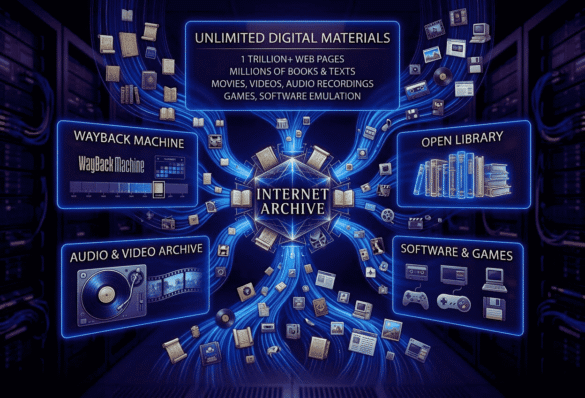
The Internet Archive stands as the undisputed titan of digital preservation, operating as a modern-day Library of Alexandria for the internet age. As a 501(c)(3) non-profit, it provides unparalleled, free access to a staggering collection of digitized materials, recently crossing the monumental threshold of one trillion archived web pages in late 2025. Beyond capturing the ephemeral nature of the web, it houses millions of public-domain books, royalty-free audio tracks, historical software, and classic films. For digital professionals, it is far more than a museum; it is a vital utility for competitive analysis, asset sourcing, and infrastructure recovery. While its user interface remains unapologetically retro and its search functionality can test your patience, the sheer volume of accessible data makes it an irreplaceable cornerstone of the open web
What Is the Internet Archive?
At its core, the Internet Archive is a massive, non-profit digital library dedicated to the ambitious mission of “Universal Access to All Knowledge.” Founded in 1996, the organization deploys fleets of automated web crawlers to continuously download and catalog the ever-changing landscape of the World Wide Web. Instead of letting old websites vanish when domains expire or servers crash, the Archive takes permanent snapshots, preserving the digital footprint of human history. Beyond the web, the organization physically scans thousands of books daily, digitizes fragile 78rpm audio records, and actively archives moving images, creating a centralized repository for global culture.
The ideal user profile extends far beyond academic researchers and digital historians. For digital marketers and content creators, the platform serves as an absolute goldmine for producing high-quality media without inflating overhead costs. Web developers frequently rely on its vast databases to resurrect lost WordPress configurations or salvage broken site templates. Whether you are an entrepreneur looking to reverse-engineer a competitor’s past promotional campaigns or a video producer hunting for unique, copyright-free b-roll, the Internet Archive provides the raw materials necessary to build, optimize, and scale your digital presence.
Key Features & Performance Analysis
The Wayback Machine (Web Archiving)
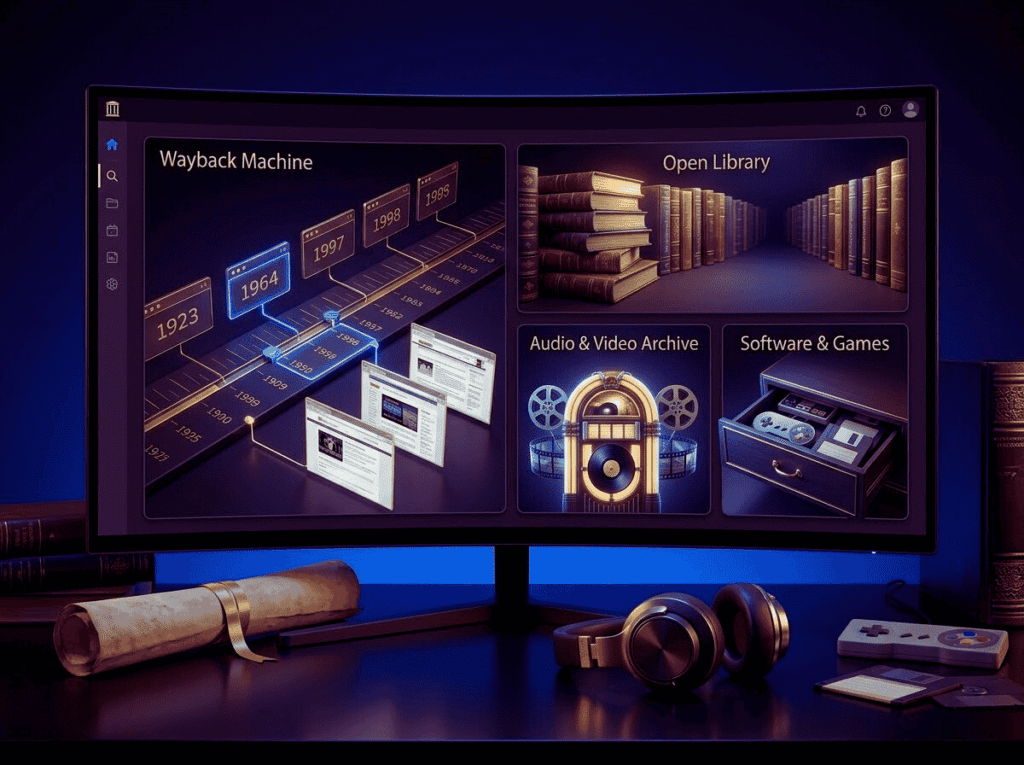
The crown jewel of the platform is the Wayback Machine, a tool that allows you to input almost any URL and travel back in time to see exactly how that page looked on a specific date. In October 2025, this tool reached a once-in-a-generation milestone, officially housing over one trillion saved web pages and encompassing more than 100,000 terabytes of data. In practical testing, the tool performs flawlessly for retrieving static HTML, CSS, and older text-based layouts, though it occasionally struggles to render complex JavaScript or heavily interactive modern web apps. For anyone focused on website monetization, this tool is indispensable for tracking how successful brands have iterated their landing pages, ad placements, and funnel structures over the past decade.
Moving Image & Audio Archives
Content creation requires a constant influx of engaging assets, and licensing fees can rapidly drain a project’s budget. The Archive’s Moving Image collection offers millions of free digital movies, newsreels, stock footage clips, and classic television broadcasts, many of which reside safely in the public domain. Similarly, the Audio Archive boasts millions of recordings, ranging from old-time radio shows and public domain audiobooks to an extensive Live Music Archive featuring thousands of concert recordings. When producing highly engaging video essays or dynamic multimedia content, these repositories provide a limitless supply of high-retention audio-visual material that can be legally monetized without triggering automated copyright strikes.
The Open Library & Text Archive
For deep-dive research, the Internet Archive operates the Open Library, an initiative aiming to create a web page for every book ever published. Users can freely download millions of texts published before 1926, which are entirely free of copyright restrictions. Furthermore, through their digital lending program, users can borrow modern, copyrighted books for hourly or daily intervals, operating exactly like a traditional public library. The built-in text search functionality is remarkably robust, allowing researchers to pinpoint specific keywords across millions of scanned pages, dramatically accelerating the research phase of long-form article writing or script development.
Legacy Software & Emulation
One of the most technically impressive features is the Archive’s browser-based software emulation. The platform hosts hundreds of thousands of legacy software programs, classic arcade games, and vintage operating systems. Through Javascript-based emulators, users can boot up MS-DOS games or explore early 90s educational software directly within their modern browser, requiring absolutely no external plugins or complex local setups. While this serves as a massive nostalgia trip, it also provides UI/UX designers with a fascinating, interactive look into the historical evolution of digital interfaces and user interaction.
The Archive is not just a website. It’s not just a library. It’s human history... providing the raw materials for the next generation of digital builders.
The Visual Data Layer
Pros & Cons Analysis
| ✅ Pros | ❌ Cons |
| Unmatched Scale: Over 1 trillion web pages and 99+ petabytes of unique historical data. | Clunky UI: The interface is dated, and the native search engine can be remarkably imprecise. |
| 100% Free Access: No paywalls, no forced advertisements, and no mandatory subscriptions. | Missing Modern Context: Some major publishers block crawlers, leaving gaps in recent news. |
| Massive Public Domain Library: Millions of royalty-free books, videos, and audio tracks. | Inconsistent Rendering: The Wayback Machine cannot always execute complex, modern JavaScript. |
| Zero-Friction Emulation: Run legacy software directly in your browser without plugins. | Occasional Downtime: As a non-profit, server speeds can occasionally throttle during peak traffic. |
Utility & Target Audience Matrix
| Tool / Feature | Core Functionality | Best For |
| Wayback Machine | Browsing historical website snapshots. | Web developers, SEO analysts, digital marketers. |
| Moving Image Archive | Downloading public domain video/film. | YouTube creators, video editors, documentarians. |
| Open Library | Borrowing and downloading digitized books. | Copywriters, academic researchers, authors. |
| Archive-It | Enterprise-level, curated web archiving. | Universities, government bodies, large institutions. |
Real-World Testing & Scenarios
Imagine migrating a highly profitable WordPress website, only to discover that a critical database error has completely wiped out your highest-converting affiliate landing page. Panic sets in as you realize the local backups are corrupted. By simply plugging the domain into the Wayback Machine, a web developer can pull the exact HTML, CSS, and text copy from a snapshot taken just three weeks prior, successfully recovering the asset and saving hours of costly downtime. This exact scenario plays out daily for site administrators around the globe, turning the Archive from a passive library into an active emergency recovery tool.
Alternatively, consider a content creator conceptualizing a YouTube video about the history of digital advertising. Instead of paying exorbitant fees to stock footage libraries, the creator navigates to the Moving Image Archive. Within minutes, they download pristine, public-domain newsreels from the 1950s and early internet promotional videos from the 1990s. They seamlessly integrate these assets into their timeline, elevating the production value of their content. Because the assets are definitively in the public domain, the creator can fully monetize the final video without fearing algorithmic demonetization or copyright claims, maximizing the return on their creative investment.
The “Skeptic’s Corner”
Despite its monumental utility, the Internet Archive is not without its controversies and operational hurdles. The platform operates on a relatively minimal non-profit budget, which became glaringly apparent during the severe DDoS attacks and data breaches in late 2024. While the organization successfully secured its infrastructure and restored full functionality, the downtime highlighted the fragility of relying solely on a single non-profit entity for global digital preservation. Users requiring guaranteed, enterprise-grade uptime for critical workflows must recognize that the Archive is a public service, not a commercial cloud provider.
Furthermore, as the artificial intelligence boom accelerated into 2026, the Archive faced severe pushback from major digital publishers. Outlets like The New York Times, The Guardian, and even platforms like Reddit began actively blocking the Archive’s automated crawlers. These publishers cited fears that AI companies were using the Archive’s massive data repository as a backdoor to scrape training data without licensing agreements. While the Archive’s leadership has pushed back—arguing that archiving is fundamentally different from AI training—this ongoing conflict means that users will notice increasingly large blind spots when trying to access snapshots of modern news sites from 2025 onwards.
Final Verdict
The Internet Archive is a triumph of the open web, offering digital professionals an unparalleled toolkit for research, asset generation, and historical analysis. It transcends its role as a digital museum to become an active, daily utility for anyone engaged in serious web development, content creation, or digital marketing. While the interface may require a learning curve and recent AI-related controversies have complicated its mission, the sheer value of having instant, free access to a trillion pieces of human history cannot be overstated.
Are you ready to explore the largest digital footprint in human history or recover that lost piece of web architecture?
Access And Download Unlimited Digital Materials Free
We believe in providing high-value content for free. To help us cover our hosting and maintenance costs so we can give this tool 100% free, this download is supported by our sponsors.
How to download:
- Click the button below.
- You will be briefly redirected to our sponsor pages (simply close the new tabs).
- On your 3rd click, the page will open automatically!
100% Secure Link. No email required.
FAQ Section
Is it legal to monetize content created using media from the Internet Archive?
Yes, provided you strictly utilize media that is clearly marked as being in the Public Domain or under a permissive Creative Commons license. Always verify the specific licensing metadata attached to the video, audio, or image file on the item’s details page before using it in commercial or monetized WordPress projects.
How often does the Wayback Machine take a snapshot of a website?
The crawling frequency is entirely dynamic and depends on the site’s overall traffic, the number of external links pointing to it, and how frequently the content updates. Massive platforms may be crawled dozens of times a day, while a niche, low-traffic blog might only be captured once every few months. Users can manually force a save by using the “Save Page Now” feature.
Why does the Wayback Machine say my site is “Excluded” or missing?
If a site is missing, it usually means the site owner has configured their robots.txt file to explicitly block the Archive’s automated crawlers, or they have submitted a direct legal request for removal. Additionally, sites heavily reliant on dynamic databases, paywalls, or complex login portals cannot be successfully captured by standard archiving bots.